
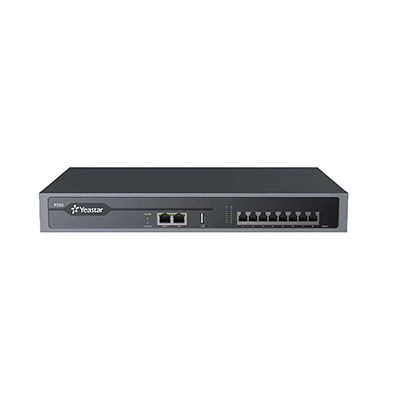

Yeastar IP PBX P550
35.104,00 EGP
The Yeastar P550 VoIP PBX is an adaptive, professional, reliable PBX phone system for SMEs. It alllows businessses to to have uninterruped communications in at …
Description
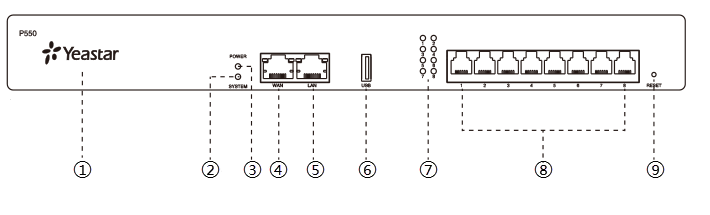
| No. | Indicator, Button or Interface | Description |
|---|---|---|
| ① | NFC Tag | Tap NFC-capable mobile phone’s back against Yeastar logo to quickly configure network settings. |
| ② | System Indicator | Indicate the system status.
|
| ③ | Power Indicator | Indicate the power status. |
| ④ | WAN Port |
For connection to Wide Area Network (WAN). |
| ⑤ | LAN Port | For connection to Local Area Network (LAN). |
| ⑥ | USB Slot | Insert a USB flash drive to store voicemails, logs, or recording files. |
| ⑦ | 1-8 LED (RJ11 port status) | Indicate the ports’ status.
|
| ⑧ | 1-8 port (RJ11 ports) |
|
| ⑨ | Reset button | Press the button and hold for 10 seconds to restore to factory defaults. |
Rear panel
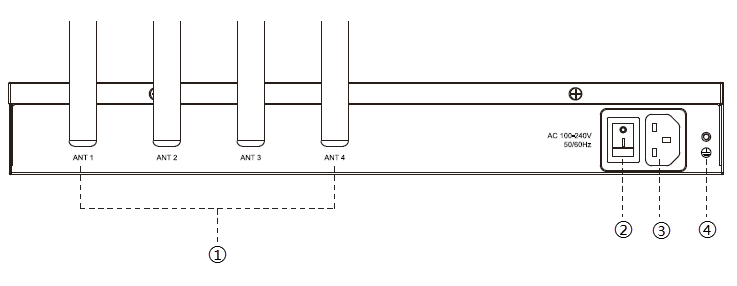
| No. | Button or Interface | Description |
|---|---|---|
| ① | Antenna Socket | Rotate the antenna into the Antenna Socket. |
| ② | Power Switch | Press this button to switch on/off the device. |
| ③ | Power Inlet | Connect the supplied power supply to the port. |
| ④ | Protective Earth | Connect to the ground to reduce the risk of electrocution to the user or protect the PBX from bad effects of external noise in case of a lightning strike. |
Reviews (0)
Shipping and Delivery


Related products
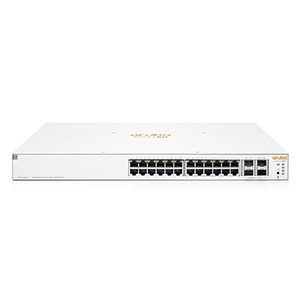
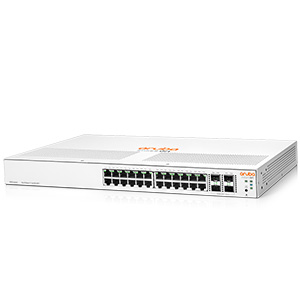
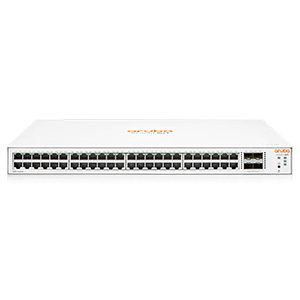
HPE Aruba Instant On 1930 24G 4SFP+ 370W Switch (Model JL684A)
The Aruba Instant On 1930 24G 4SFP+ 370W (JL684A) is a smart‑managed Layer 2+/Lite PoE+ switch with 24 Gigabit PoE+ ports, 4 × 1/10 Gbps SFP+ uplinks, 370 W PoE budget, 128 Gbps switching capacity, and advanced management features — ideal for powering access points, phones, and cameras in small and medium business networks.
Reviews
There are no reviews yet.